Run the whole day from the truck.
Sawhorse™ holds the schedule, the drive, the quotes, the invoices, the receipts and the miles. One app, on the phone you already carry. It works with no signal, and it's free.
One message when it launches, then nothing. Free, no account. Android first, iPhone to follow.

Why this exists
The trade is one job. Running the business is the other.
You spend the day on the tools. Then the second job starts. The quote you promised on Tuesday, the invoice that still hasn't gone out, the receipt somewhere in the console, the miles nobody added up. Both jobs are yours, and there's one of you.
What's on offer to help with the second job hasn't been much. A calendar and a day planner, which hold exactly what you remembered to write in them. Or contractor software built for a shop running a dozen trucks, or for a franchise where head office picks the tools, priced to match and wanting a demo and a card number before it shows you anything useful.
Sawhorse is a third option. It helps you run the day-to-day of the business, and it's built to be fully functional for free. You can see the whole thing working before you decide whether it's worth anything.
What it does
The whole operation, on one phone.
Planning the day
Schedule
Book jobs at a fixed time, or as flexible work that just needs doing this week. Set a job to repeat weekly, monthly, or until you cancel it. See it as a list or a week at a time.
Route planning
Pick the day and it puts your stops in driving order, working around the appointments that can't move and fitting the flexible ones in by distance. It estimates each leg and flags any stop that will make you late for the next one.
Home screen
Your next job, today's stops in order, and the errands attached to them. Deliberately carries no dollar figures anywhere, so you can hold the phone up to a customer without showing them your revenue.
Map
Every customer and every scheduled job as a pin. Filter to residential or commercial, or to a status like active or lead, and see where your work actually is.
Quoting and billing
Estimates and invoices
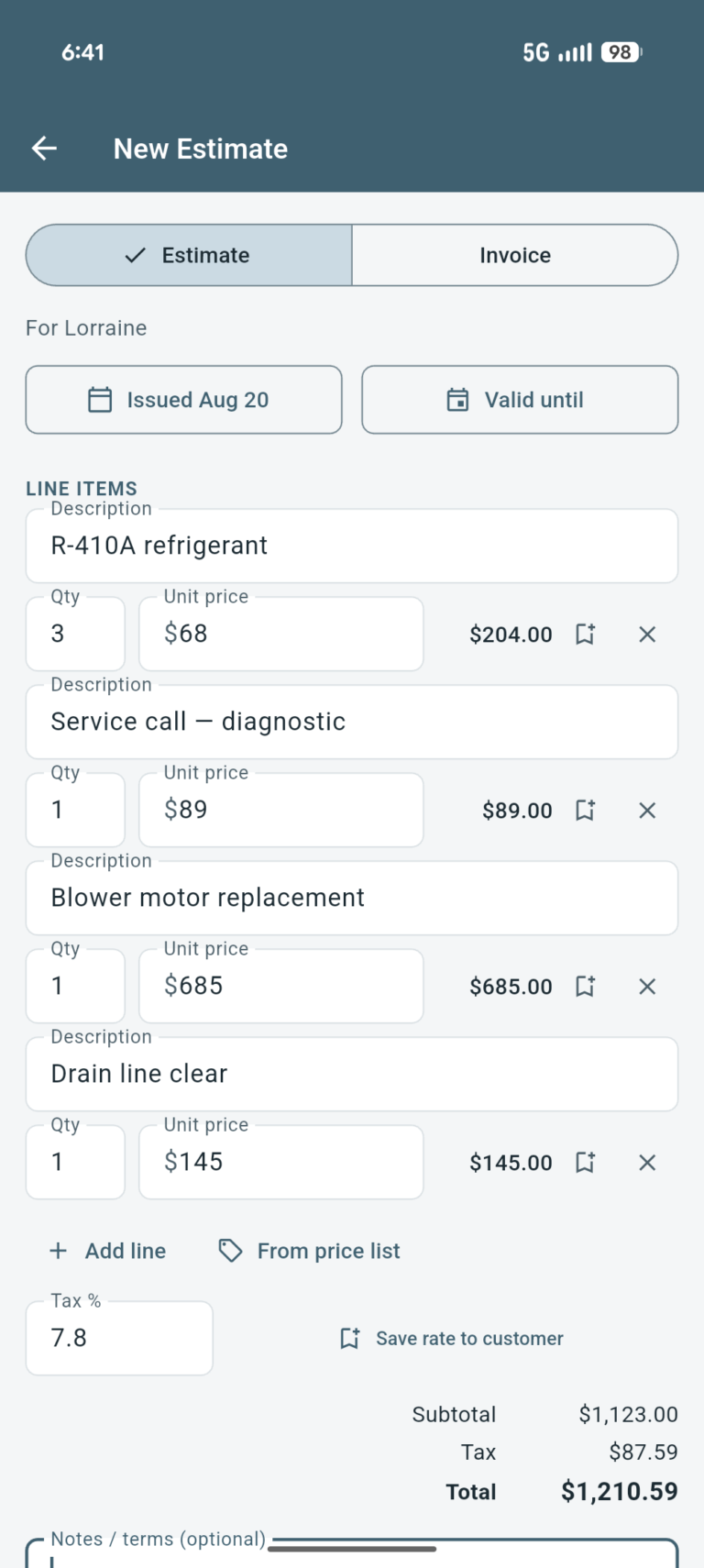
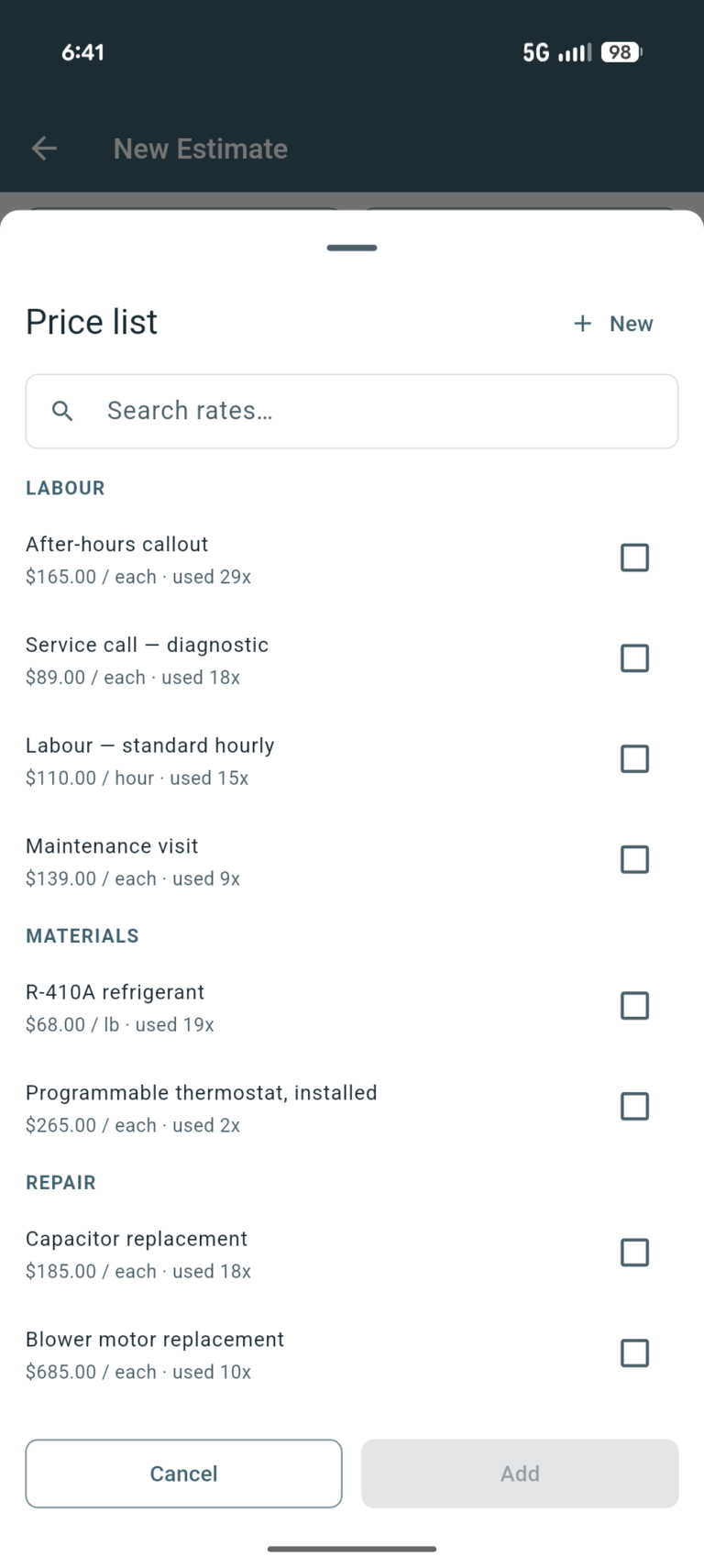
PDFs carrying your logo, licence number and insurance details. Build them from a saved price list of the rates you quote most often. An accepted estimate becomes an invoice in one tap, carrying every line across.
Signatures on the phone
The customer signs on screen and the signature is locked to that exact version of the document. Change a line afterwards and the old signature will not travel with it.
Job time clock
Clock on when you start and off when you leave. Those hours land on the invoice as billable lines, and the app will not let the same hours be billed a second time.
Follow-ups
Two lists that maintain themselves: quotes you sent that nobody has answered, and invoices past their due date. Both totalled in dollars owed rather than shown as a count.
Money and tax
Receipts and expenses
Photograph the receipt in the truck before it fades. Sixteen categories that line up with a Schedule C, with sales tax recorded separately from the amount.
Mileage log
Built from the visits you marked finished, at the IRS rate for the day you drove it. Each trip keeps the rate that applied then, so a mid-year rate change does not rewrite your history.
Accountant packet
A month, a quarter, an IRS estimated-tax period or a year, exported as one file. Covered in more detail below.
Finances
Income, expenses and referrals on a board of their own, separate from Home so money is never on screen by accident. Thirty-one measures to pick from across both boards.
Customers
Customer records
Address, phones, email, tags, lead source and status, plus a dated log of every visit and photos from the job. Bring them in from your phone contacts rather than typing them again.
Call, text, email, directions
All four from the customer's page. Seven message templates you can rewrite, including one that sends an arrival time worked out from where the truck is right now.
Referrals
When a customer sends you a neighbour, both of them get an offer and it appears as a clear line on the document. The referrer's reward only unlocks once the new customer's invoice is actually paid.
Backup
Everything, photos included, into a single file you can put on a drive or email to yourself. Restoring asks whether the backup or the phone should win, so an old copy cannot quietly undo recent work.
All of it is in the app today, and all of it is free.
How it fits together
One job, start to finish.
Those parts aren't separate tools you have to remember to open. A job runs the same way every time, and Sawhorse follows it from the first call to getting paid, collecting the paperwork as it goes.
Solid lines are things you did. Dotted lines are things that happened while you worked.
At tax time
One file for your accountant.
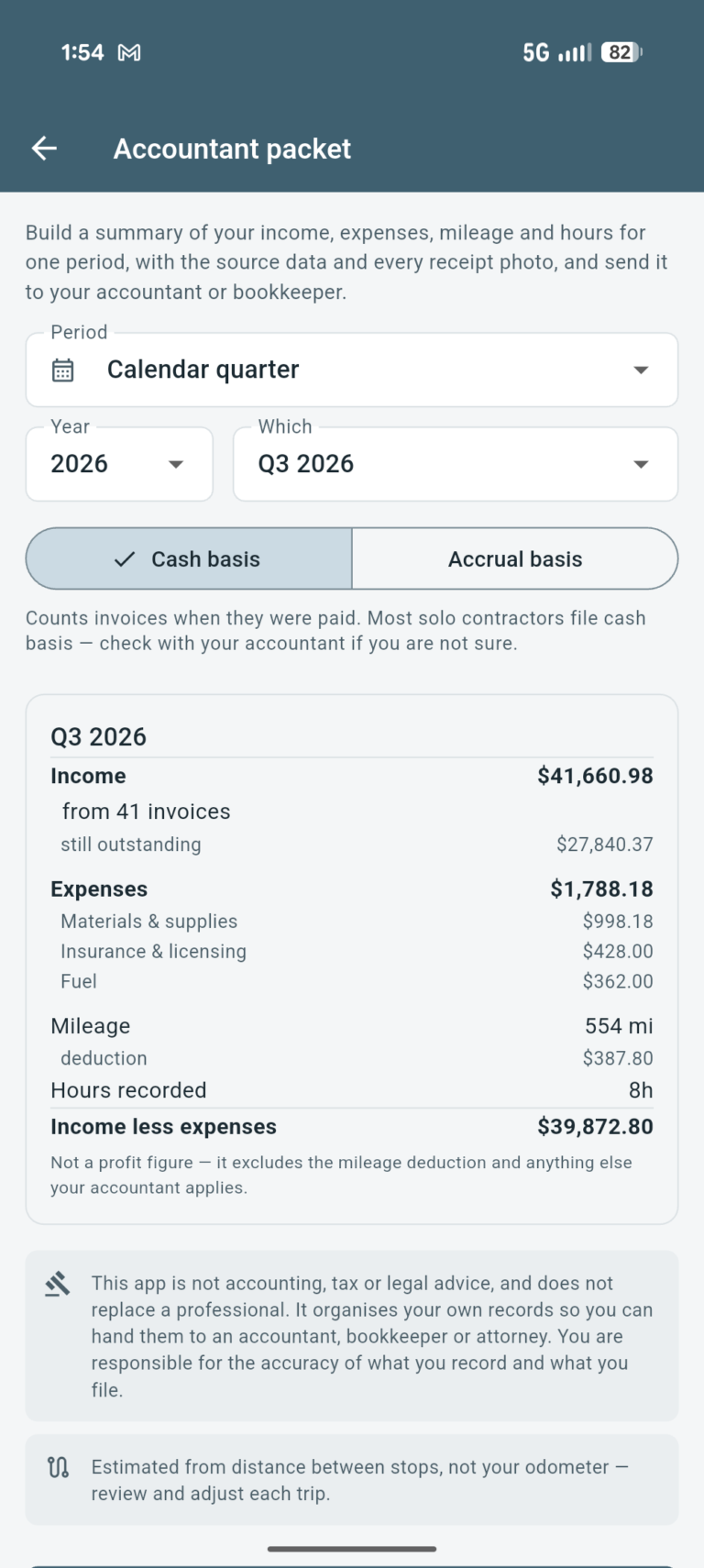
A month, a quarter, an IRS estimated-tax period, or a whole year. One file holding a summary you can read, the raw numbers behind every figure, and every receipt photo attached.
Cash or accrual, it asks rather than assuming. The difference between handing your accountant a shoebox and handing them a file.
Sawhorse is not accounting or bookkeeping software. It doesn't keep your books, work out what you owe, or file anything with anyone. What it does is keep an accurate record of what you invoiced and what you spent, and hand it over in a form the person who does that work can actually use — your bookkeeper, your accountant, your attorney.
Every figure comes from what you entered, so check it before anyone files from it, and the mileage especially. Nothing Sawhorse produces is accounting, tax or legal advice.
The screenshots on this page use made-up customers and made-up numbers. They show what the app looks like, not what anyone earns.
Privacy
The app doesn't send your data anywhere. You can.
No account. No tracking. No analytics. There's nothing to sign up for and nothing watching what you do.
Location
Sawhorse asks for your location as soon as it opens, because the map, the drive order, the mileage and the arrival time all run on knowing where you are. Foreground only, so it stops when you do.
Backups
Your backup is one file, and it goes wherever you send it. Keep one somewhere — there's no server holding a spare, which is the same reason nobody else can read your work.
The price
Free, and built to stay that way.
No card form. No trial counting down in the corner. No demo to sit through before anyone will show you the thing itself. Put your rates in, bring your customers across from your contacts, and run next week on it.
It can stay free because of how it's built. The maps come from OpenStreetMap, the texts go through your own phone and your own plan, the quotes are made on the device, and there's no server behind any of it. One more person using Sawhorse costs us close to nothing.
Who it's for
One person, or a couple of vans.
- Solo operators and small crews, doing the work themselves.
- Running the business from the truck, on a phone, between jobs.
- Anyone who's tried contractor software, found it built for a dozen-truck outfit or a franchise, and went back to paper.
HVAC · plumbing · electrical · roofing · concrete · flooring · drywall · painting · landscaping · pool service · pest control · handyman · small remodel
Nothing in it is specific to a trade. What matters is where the work happens. If your day is spent at your customers' places rather than behind a desk, it fits, whatever it says on the side of the truck.
Set it up once, in the truck.
One message when it launches, then nothing.